




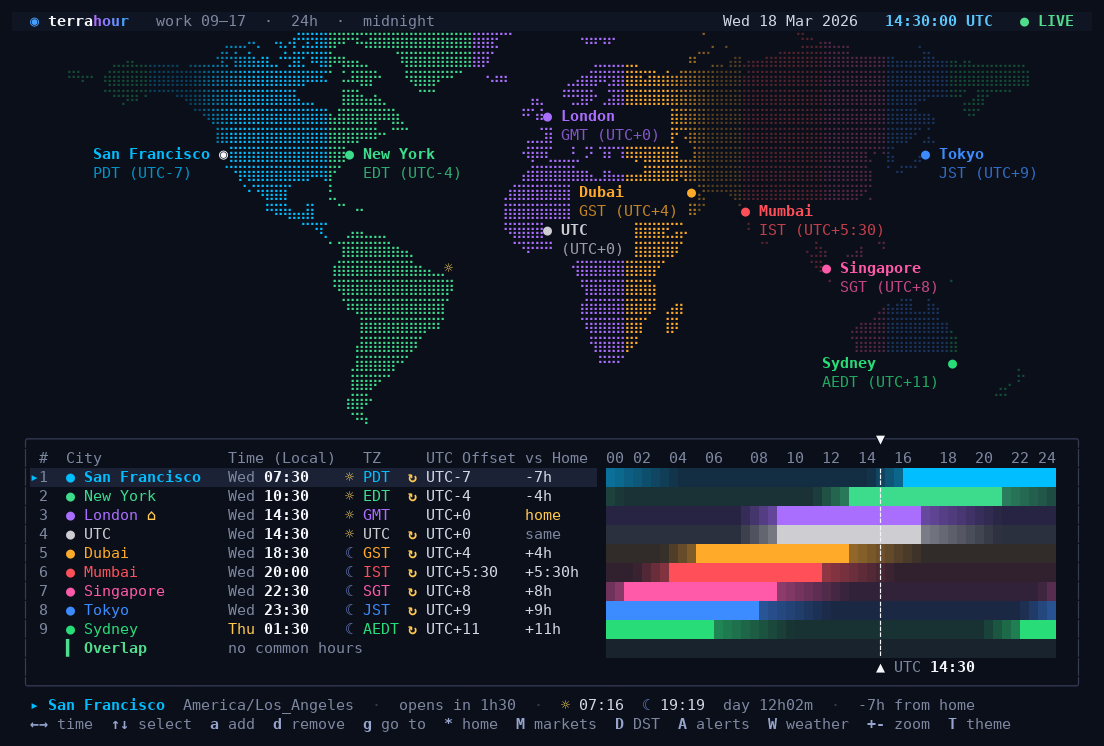
A world clock for the terminal. It shows a map of the world with day and night on it, and for every city you add, when the people there are at work.
By Alessio Coci. MIT licensed: copy it, change it, keep the notice.
pipx install terrahourThen type terrahour. If you don't have pipx, install it first with sudo apt install pipx
(Debian, Ubuntu) or brew install pipx (macOS). No Python at all? Download the ready-made
file for your system from the releases page
instead.
It runs on Linux and macOS. On Windows, use WSL to get the full app; installed directly on
Windows, only the commands that print and exit work (--line, --json, --once).
It starts with a few example cities. Then:
| Press | To |
|---|---|
a |
add a city: type its name and press Enter |
d |
remove the selected city |
← → |
move through the day, 15 minutes at a time |
r |
come back to now |
? |
see every key |
q |
quit |
Your cities and settings are saved automatically.
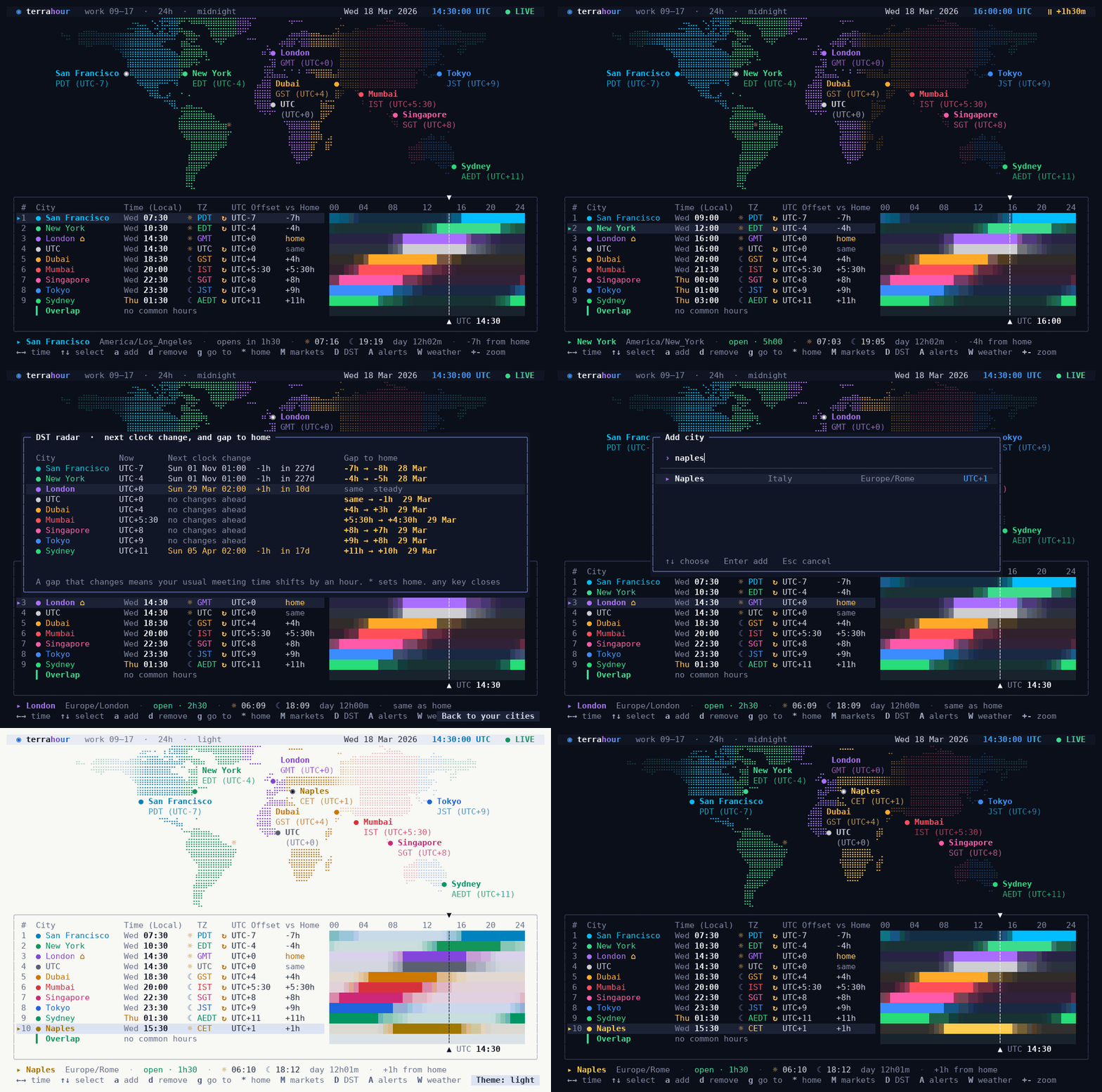
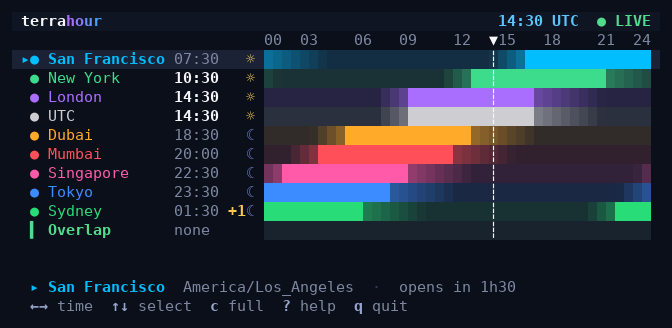
Find a meeting time. Each city has a bar showing its working hours. The row at the bottom shows when everybody is at their desk at the same time.
 |
 |
|---|---|
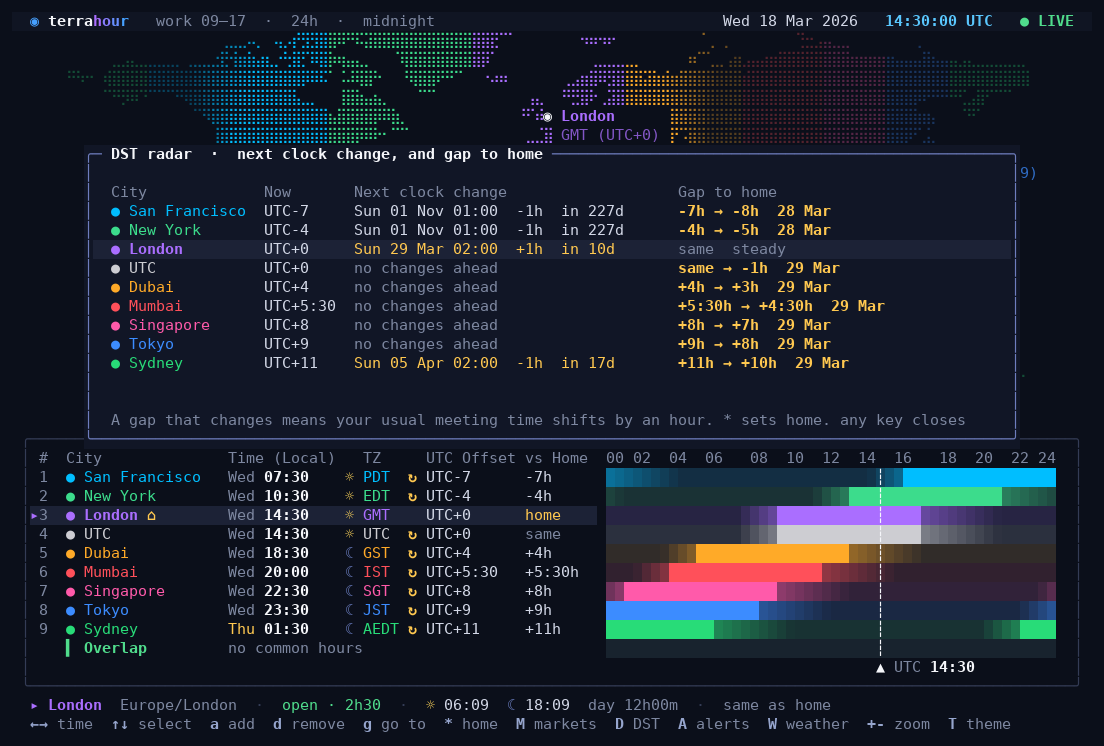
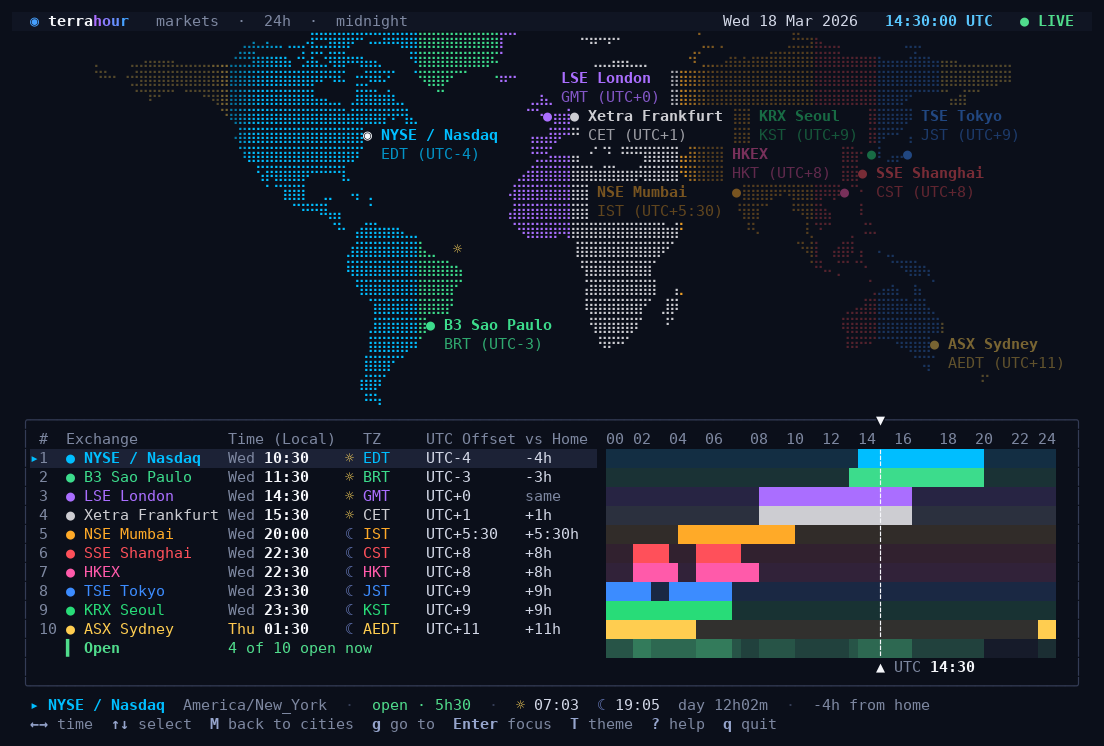
| See clock changes coming. The DST radar lists the next clock change in every city, and warns you when the gap between you and them is about to shift by an hour. | Watch the stock exchanges. Swap the city list for the ten biggest exchanges, with their real trading hours. |
 |
 |
|---|---|
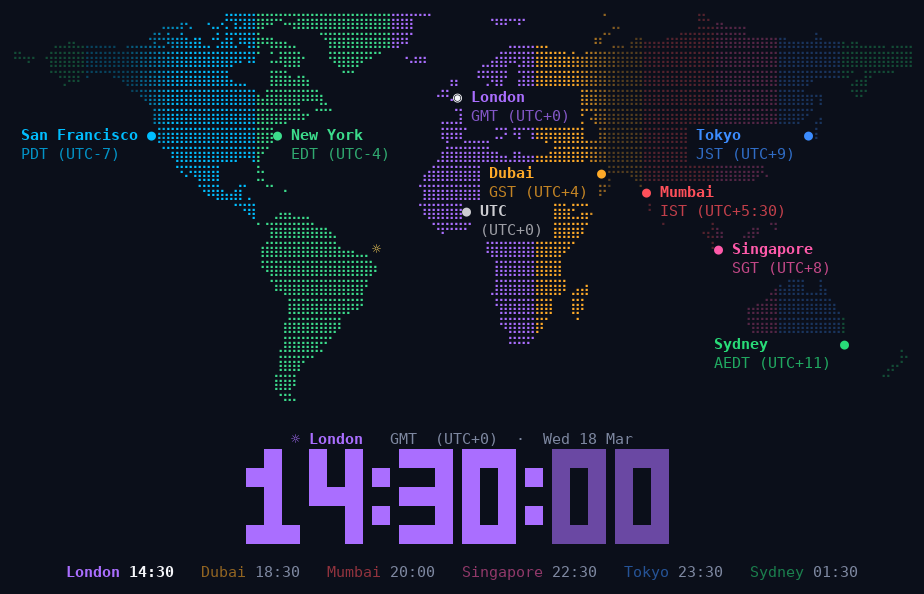
| Put it on a spare monitor. The ambient view is a big clock over the map. Give it a time of day and the map slowly turns, keeping the place where it is that time in the middle. | Fit it anywhere. In a small window it shows a compact list; for a status bar there is a one-line mode. |
Also: reminders in another city's time, the weather next to each city, a light theme and twelve more, a 12-hour clock, and the mouse.
Every key, every command-line option, status bars and scripts, window sizes, other ways to install, and how to update: it's all in the manual.
Want to change the code? See DEVELOPMENT.md.
- City list derived from GeoNames (CC BY 4.0).
- Land mask rasterised from Natural Earth (public domain).
- Geocoding and weather from Open-Meteo (CC BY 4.0).
- Time zone rules come from your operating system's tz database through Python's
zoneinfo. - Several hardening fixes by yourpwnguy.
MIT. See LICENSE.