



Build screener queries visually and get Python code instantly!
The Code Generator lets you:
- Select from 10 screener types (Stock, ETF, Crypto, Forex, Bond, Government Bond, Futures, Coin, Index, Economics)
- Build filters visually with 13,000+ fields, combined with AND / OR
- Generate ready-to-use Python code
- Copy and run in your environment
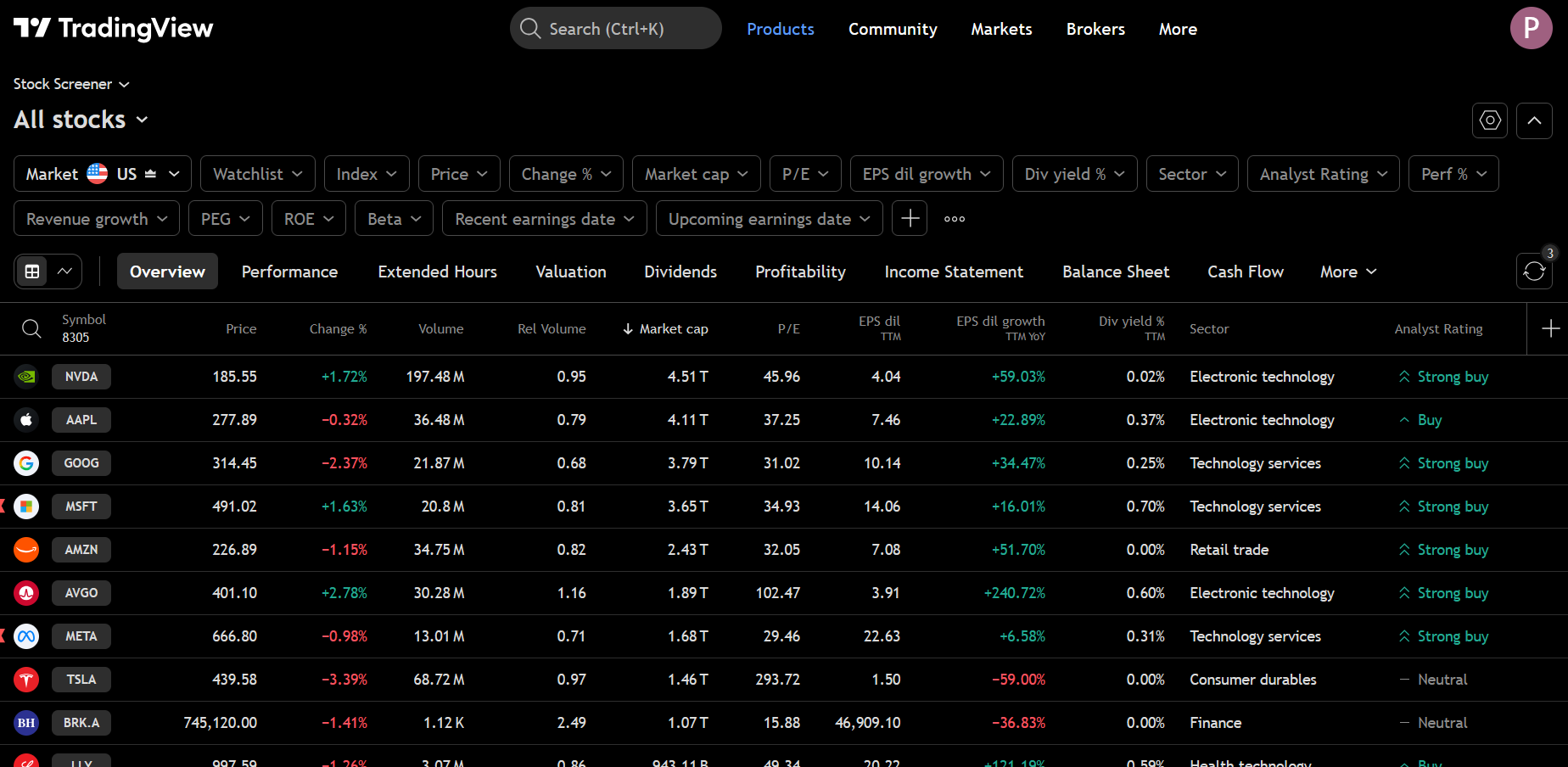
Get the results as a Pandas Dataframe

This is an unofficial, third-party library and is not affiliated with, endorsed by, or connected to TradingView™ in any way. TradingView™ is a trademark of TradingView™, Inc. This independent project provides a Python interface to publicly available data from TradingView's screener. Use of this library is at your own risk and subject to TradingView's terms of service.
- Query Stock, ETF, Forex, Crypto, Bond, Government Bond, Futures, Coin, Option, Index and Economics Screeners
- OR / nested filters with
|and&, and operators such ashas(),above_pct(),in_day_range() - TradingView presets (gainers, losers, all-time highs...) and earnings, dividend, IPO and economic calendars
- Financial statements: about 20 years of annual and 8 years of quarterly income statement, balance sheet and cash flow
- Real-time quotes pushed by TradingView, recent dividends, earnings and splits, and seasonals
- News with filters, filings and earnings call transcripts
- Yield curves and matrix, futures forward curves, IV term structure and smile, symbol search, peers and single-symbol lookups
- All the fields available: 13,000+ fields across all screener types
- Any time interval (
no need to be a registered user- 1D, 5m, 1h, etc.) - Fluent API with
select()andwhere()methods for cleaner code - Field discovery - search fields by name, get technicals, filter by category
- Field presets - curated field groups for common use cases
- Type-safe validation - catches field/screener mismatches
- Filters by any fields, symbols, markets, countries, etc.
- Get the results as a Pandas Dataframe
- Styled output with TradingView-like colors and formatting
- Streaming/Auto-update - continuously fetch data at specified intervals
- MCP server for AI assistants:
pip install tvscreener[mcp], thenclaude mcp add tvscreener -- tvscreener-mcp
Tip
New in 0.8: financial statements, real-time quotes, economic calendar, news, filings and earnings call transcripts, also as MCP tools. See Financials and Events and News and Filings.
The source code is currently hosted on GitHub at: https://github.com/deepentropy/tvscreener
Binary installers for the latest released version are available at the Python Package Index (PyPI)
# or PyPI
pip install tvscreener
From pip + GitHub:
$ pip install git+https://github.com/deepentropy/tvscreener.gitimport tvscreener as tvs
# Stock Screener
ss = tvs.StockScreener()
df = ss.get() # returns a dataframe with 150 rows by default
# Forex Screener
fs = tvs.ForexScreener()
df = fs.get()
# Crypto Screener
cs = tvs.CryptoScreener()
df = cs.get()
# Bond Screener (NEW)
bs = tvs.BondScreener()
df = bs.get()
# Futures Screener (NEW)
futs = tvs.FuturesScreener()
df = futs.get()
# Coin Screener (NEW) - CEX and DEX coins
coins = tvs.CoinScreener()
df = coins.get()
# Option Screener - option chains with greeks and IV (underlying required)
opts = tvs.OptionScreener("NASDAQ:AAPL")
opts.where(tvs.OptionField.DELTA.between(0.4, 0.6))
df = opts.get()
# Implied volatility term structure
df = tvs.get_iv_term_structure("NASDAQ:AAPL")
# ETF Screener - ETFs sorted by assets under management
etfs = tvs.ETFScreener()
etfs.where(tvs.StockField.EXPENSE_RATIO < 0.1)
df = etfs.get()
# Index Screener - indices, CFDs, crypto market caps
df = tvs.IndexScreener().main_indices().get()
# Economics Screener - 15,000+ economic indicators
es = tvs.EconomicsScreener()
es.where(tvs.EconomicsField.COUNTRY_CODE == 'US')
df = es.get()
# Government bond yield curve
df = tvs.get_yield_curve("US")ss = tvs.StockScreener()
ss.where((tvs.StockField.SECTOR == 'Finance') | (tvs.StockField.SECTOR == 'Utilities'))
ss.where(tvs.StockField.PRICE.above_pct(tvs.StockField.SIMPLE_MOVING_AVERAGE_50, 5))
df = ss.get()
# TradingView's own screens
df = tvs.StockScreener().set_preset(tvs.Preset.GAINERS).get()earnings = tvs.get_earnings_calendar("2026-10-12", "2026-10-18")
dividends = tvs.get_dividends_calendar("2026-10-12", "2026-10-18")
ipos = tvs.get_ipo_calendar("2026-10-01", "2026-10-31", markets=tvs.Market.ALL)
macro = tvs.get_economic_calendar("2026-10-12", "2026-10-18", countries=["US", "EU"], importance="high")income = tvs.get_financials("NASDAQ:AAPL", "income", "FY") # ~20 fiscal years
balance = tvs.get_financials("NASDAQ:AAPL", "balance_sheet", "FQ")
events = tvs.get_corporate_events("NASDAQ:AAPL") # dividends, earnings, splits
seasonals = tvs.get_seasonals("NASDAQ:AAPL") # monthly returns by year
for quote in tvs.stream_quotes(["NASDAQ:AAPL", "BINANCE:BTCUSDT"], duration=60):
print(quote["symbol"], quote.get("price"))news = tvs.get_news("NASDAQ:AAPL", corp_activity="insider_trading")
text = tvs.get_article(news["id"].iloc[0])
docs = tvs.get_documents("NASDAQ:AAPL", category="call_transcript")
transcript = tvs.get_document(docs["transcript_id"].iloc[0])
tvs.search_symbols("US0378331005") # ISIN -> NASDAQ:AAPL and other listings
tvs.get_peers("NASDAQ:AAPL")
tvs.get_forward_curve("NYMEX:CL")
tvs.get_yield_matrix(["US", "DE", "JP"])
tvs.get_volatility_smile("NASDAQ:AAPL", "2026-11-13")Use select() and where() for cleaner, chainable code:
from tvscreener import StockScreener, StockField

ss = StockScreener()
ss.select(
    StockField.NAME,
    StockField.PRICE,
    StockField.CHANGE_PERCENT,
    StockField.VOLUME,
    StockField.MARKET_CAPITALIZATION
)
ss.where(StockField.MARKET_CAPITALIZATION > 1e9)
ss.where(StockField.CHANGE_PERCENT > 5)
df = ss.get()Search and explore the 13,000+ available fields:
from tvscreener import StockField

# Search fields by name or label
rsi_fields = StockField.search("rsi")
print(f"Found {len(rsi_fields)} RSI-related fields")

# Get all technical indicator fields
technicals = StockField.technicals()
print(f"Found {len(technicals)} technical fields")

# Get recommendation fields
recommendations = StockField.recommendations()Use curated field groups for common analysis needs:
from tvscreener import (
    StockScreener, get_preset, list_presets,
    STOCK_PRICE_FIELDS, STOCK_VALUATION_FIELDS, STOCK_DIVIDEND_FIELDS,
    STOCK_PERFORMANCE_FIELDS, STOCK_OSCILLATOR_FIELDS
)

# See all available presets
print(list_presets())
# ['stock_price', 'stock_volume', 'stock_valuation', 'stock_dividend', ...]

# Use presets directly
ss = StockScreener()
ss.specific_fields = STOCK_VALUATION_FIELDS + STOCK_DIVIDEND_FIELDS
df = ss.get()

# Or get preset by name
fields = get_preset('stock_performance')
Available Presets:
| Category | Presets |
|---|---|
| Stock | stock_price, stock_volume, stock_valuation, stock_dividend, stock_profitability, stock_performance, stock_oscillators, stock_moving_averages, stock_earnings |
| Crypto | crypto_price, crypto_volume, crypto_performance, crypto_technical |
| Forex | forex_price, forex_performance, forex_technical |
| Bond | bond_basic, bond_yield, bond_maturity |
| Futures | futures_price, futures_technical |
| Coin | coin_price, coin_market |
Apply different time intervals to technical indicators:
from tvscreener import StockScreener, StockField

ss = StockScreener()

# Get RSI with 1-hour interval
rsi_1h = StockField.RELATIVE_STRENGTH_INDEX_14.with_interval("60")

# Available intervals: 1, 5, 15, 30, 60, 120, 240, 1D, 1W, 1M
ss.specific_fields = [
    StockField.NAME,
    StockField.PRICE,
    rsi_1h,
    StockField.MACD_LEVEL_12_26.with_interval("240"),  # 4-hour MACD
]
df = ss.get()For detailed usage examples, see the documentation and notebooks below.
You can apply TradingView-style formatting to your screener results using the beautify function. This adds colored text for ratings and percent changes, formatted numbers with K/M/B suffixes, and visual indicators for buy/sell/neutral recommendations.
import tvscreener as tvs

# Get raw data
ss = tvs.StockScreener()
df = ss.get()

# Apply TradingView styling
styled = tvs.beautify(df, tvs.StockField)

# Display in Jupyter/IPython (shows colored output)
styled
The styled output includes:
- Rating columns with colored text and directional arrows:
- Buy signals: Blue color with up arrow (↑)
- Sell signals: Red color with down arrow (↓)
- Neutral: Gray color with dash (-)
- Percent change columns: Green for positive, Red for negative
- Number formatting: K, M, B, T suffixes for large numbers
- Missing values: Displayed as "--"
You can use the stream() method to continuously fetch screener data at specified intervals. This is useful for monitoring real-time market data.
import tvscreener as tvs

# Basic streaming with iteration limit
ss = tvs.StockScreener()
for df in ss.stream(interval=10, max_iterations=5):
    print(f"Got {len(df)} rows")

# Streaming with callback
from datetime import datetime

def on_update(df):
    print(f"Updated at {datetime.now()}: {len(df)} rows")

ss = tvs.StockScreener()
try:
    for df in ss.stream(interval=5, on_update=on_update):
        # Process data
        pass
except KeyboardInterrupt:
    print("Stopped streaming")

# Stream with filters
ss = tvs.StockScreener()
ss.set_markets(tvs.Market.AMERICA)
for df in ss.stream(interval=30, max_iterations=10):
    print(df.head())
Parameters:
interval: Refresh interval in seconds (minimum 1.0 to avoid rate limiting)max_iterations: Maximum number of refreshes (None = infinite)on_update: Optional callback function called with each DataFrame
📖 Full Documentation - Complete guides, API reference, and examples.
| Guide | Description |
|---|---|
| Quick Start | Get up and running in 5 minutes |
| Filtering | Complete filtering reference |
| Stock Screening | Value, momentum, dividend strategies |
| Technical Analysis | RSI, MACD, multi-timeframe |
| Financials and Events | Statements, dividends, earnings, seasonals |
| News and Filings | Filtered news, 10-Q/10-K, call transcripts |
| Streaming | Screener refreshes and real-time quotes |
| API Reference | Screeners, Fields, Enums |
Interactive examples organized by use case:
| Notebook | Description |
|---|---|
| 01-quickstart.ipynb | Overview of all 6 screeners |
| 02-stocks.ipynb | Stock screening strategies |
| 03-crypto.ipynb | Crypto analysis |
| 04-forex.ipynb | Forex pairs screening |
| 05-bonds-futures.ipynb | Bonds and futures |