



If you need more info, help, or want to provide general feedback on Orama, join the Orama Slack channel
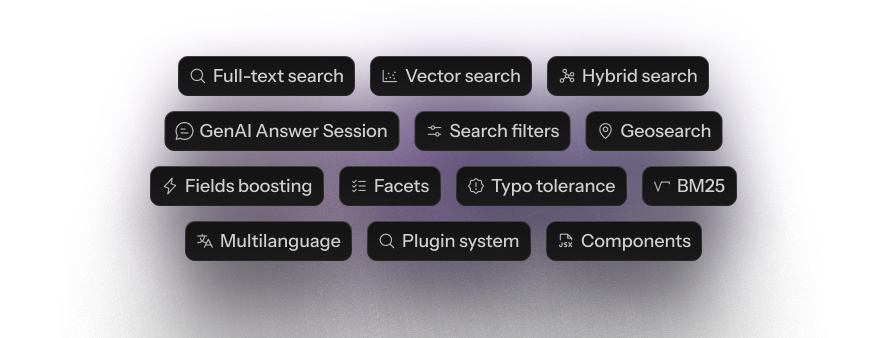
- Full-Text search
- Vector Search
- Hybrid Search
- GenAI Chat Sessions
- Search Filters
- Geosearch
- Pinning Rules (Merchandising)
- Facets
- Fields Boosting
- Typo Tolerance
- Exact Match
- BM25
- Stemming and tokenization in 30 languages
- Plugin System
You can install Orama using npm, yarn, pnpm, bun:
npm i @orama/oramaOr import it directly in a browser module:
<html>
  <body>
    <script type="module">
      import { create, insert, search } from 'https://cdn.jsdelivr.net/npm/@orama/orama@latest/+esm'
    </script>
  </body>
</html>
With Deno, you can just use the same CDN URL or use npm specifiers:
import { create, search, insert } from 'npm:@orama/orama'Read the complete documentation at https://docs.orama.com.

Orama is quite simple to use. The first thing to do is to create a new database instance and set an indexing schema:
import { create, insert, remove, search, searchVector } from '@orama/orama'

const db = create({
  schema: {
    name: 'string',
    description: 'string',
    price: 'number',
    embedding: 'vector[1536]', // Vector size must be expressed during schema initialization
    meta: {
      rating: 'number',
    },
  },
})

insert(db, {
  name: 'Noise cancelling headphones',
  description: 'Best noise cancelling headphones on the market',
  price: 99.99,
  embedding: [0.2432, 0.9431, 0.5322, 0.4234, ...],
  meta: {
    rating: 4.5
  }
})

const results = search(db, {
  term: 'Best headphones'
})

// {
//   elapsed: {
//     raw: 21492,
//     formatted: '21μs',
//   },
//   hits: [
//     {
//       id: '41013877-56',
//       score: 0.925085832971998432,
//       document: {
//         name: 'Noise cancelling headphones',
//         description: 'Best noise cancelling headphones on the market',
//         price: 99.99,
//         embedding: [0.2432, 0.9431, 0.5322, 0.4234, ...],
//         meta: {